Following this topic
I have Explained how to start and create a discourse community in simple steps but let me go into detail on what to do after your forum is created.
So now that your a proud owner of your very own discourse forum here is the next steps.
Head into your forum
log in
go to the side bar and press Admin
Then go to About your Site section on the admin sidebar
it should look like this
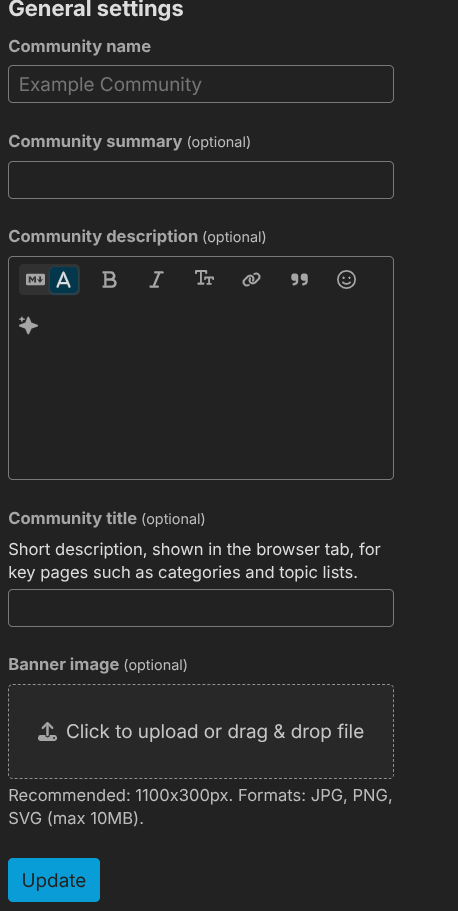
in the Community Name box is the Name you set when you created the forum in the begging you can change the name any time from here.
what you want to focus is the box Community Description(optional)
Use this to set a description that tells users what the community is about describe the forum
once thats done go to banner image and set a little forum banner.
Next we want to press update then return to the main page of the forum
head over to the about page
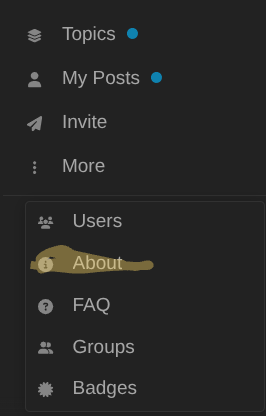
(hilighted for conveince)
and you want to make sure that the description took
As well as you can see your admins and moderators there.
Next head back to the admin dashboard and return to the page we just were on titled
About your site but this time scroll down till you see this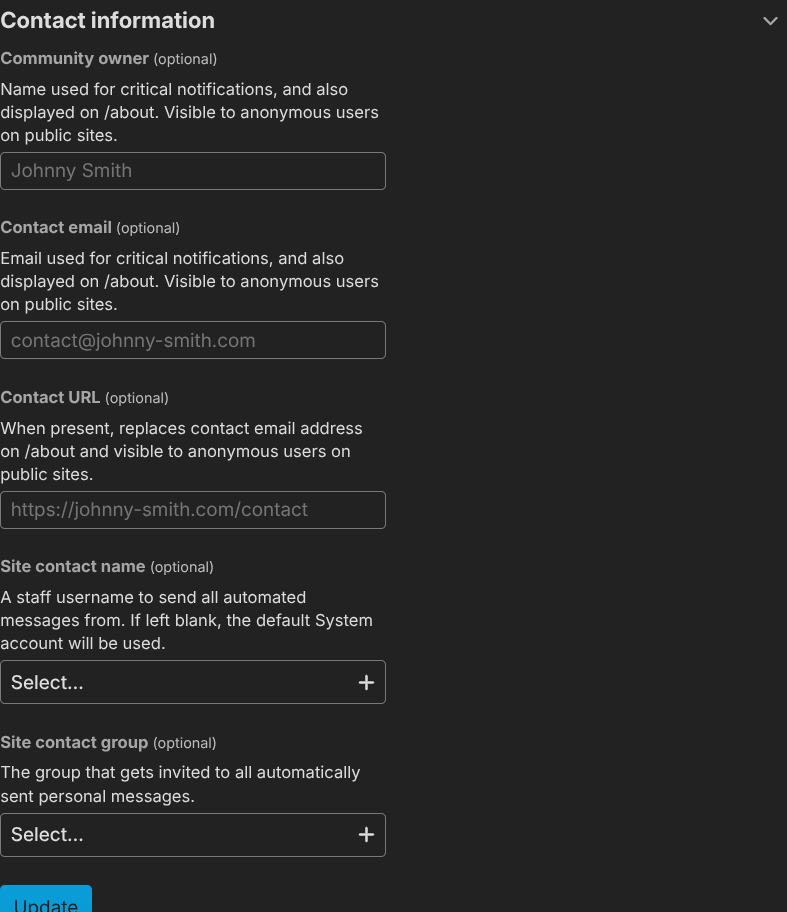
Here you change the settings to match your choice if there is a specfic account or group all offcial automatic messages should be sent from then select which one
After that is filled out we want to head over to the section appearence and select Logo
There you can set all diffrent logos for your forum that what we call making it unique.
Once thats done lests leave that for now Head over to the page Groups
Create custom groups or groups you need to request to join
If i want to make it closed (no more users can join unless added)
We want these to not be checkmarked

this means youll see

Now only group owners can add users.
So you have that we now need categorys
to make one go to

and you can see the button new category click it
there you can see all the options to make it once made youll see
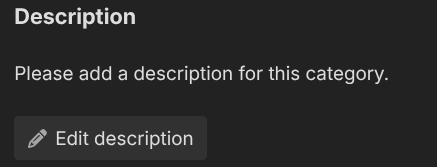
click it and youll be taken to a topic
it should look like this
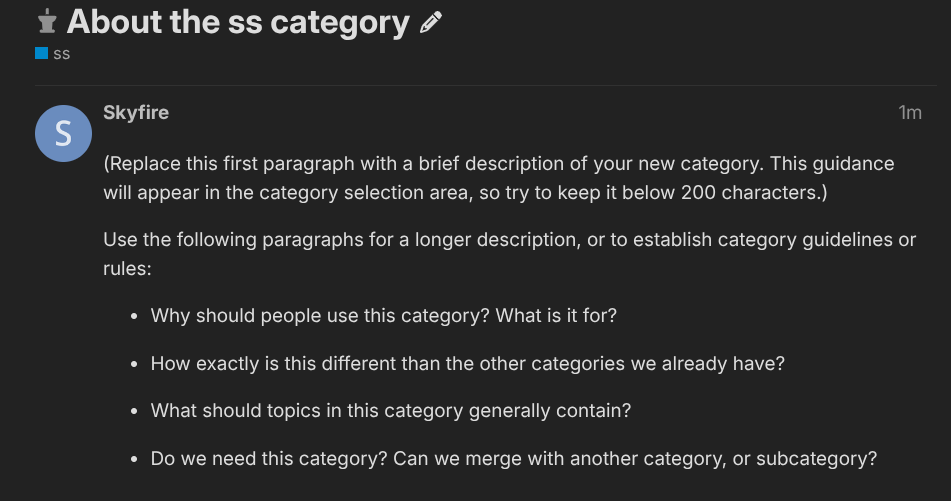
Edit the post by clicking … and then the pencil
and delte everything inside and put a description of the category like what its for why you need it.
Now if you want a category only some can see or post head over to that category and press the wrench
then go to the tab secuirty it will look like this
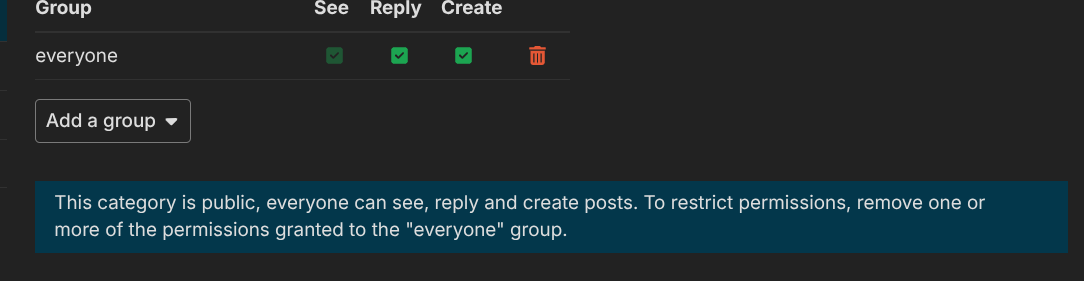
to make it only i want my group steve to see ill remove the group everyone and press add goup and do the one named steve and then only them and mods and admins can veiw now if i only want everyone to be able to reply not create ill remove the create checkmark.
categorys restriceted to groups will look like this

youll see that and thats how you know.
Now we have that done make some posts to make a tag go to optional tags and type it in and once you make the topic boom its a real tag now.
Next blocking content.
Go to the admin dashboard and scroll down to community and press watched words there you can block words sensor them or have it auto que for review or silence the user or auto tag the post with a tag or replace or link.
then throught the use to see what staff are doing to go the admin panel press secuirty and press logs and screening.
Now lets explore user admin head to a user accounts and press

then youll see this
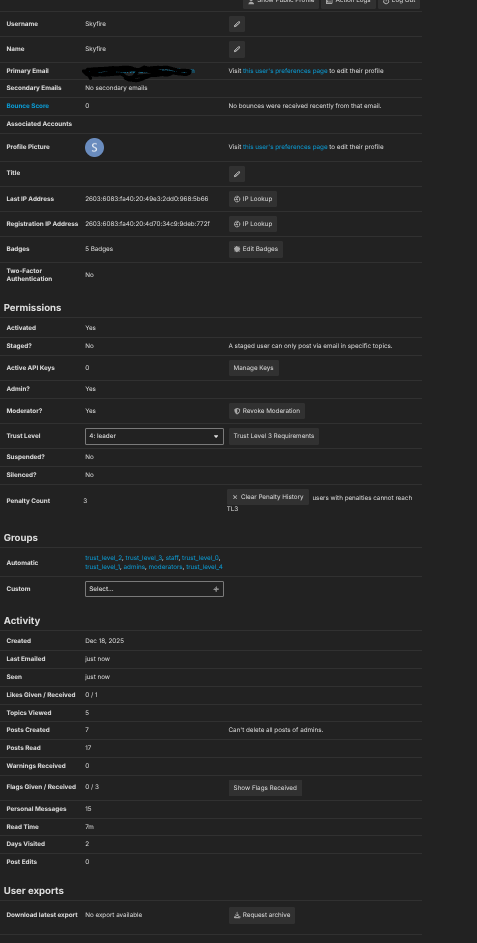
here you can change some aspects of a user like trust level give mod/admin etc
Now is the flags
if i break and get flagged by bssimulator all mods and admins will see this

by my pfp and

on my sidebar here i need to press the review button to see it
and you can add notes see what staff think and handle it.
Your now done this guide is another helpful friend in the world of discourse
